The checklist I work through on every site
The most common way to waste an SEO budget is for it to work. Traffic arrives, the report looks good, and nothing happens. Here is the list I go through before I think anyone should buy SEO.

A website audit checklist in thirteen steps, in the order I work, from the baseline and the technical layer to how the page sounds in a screen reader.
This is the website audit checklist I work through on a site before I think anyone should spend money pulling more traffic to it. It is sorted in the order I actually work, not the order that looks best in a presentation.
I do not sell SEO. The list exists because most of the traffic that gets lost is lost after the click, and that is the part I work on. I made the argument for the order separately. This is the craft.
Part 1: Measure before you touch anything
1. Set up Search Console and let it collect for a month
Without a measurement from before, you do not know what changed, and then anyone can claim anything afterwards. A month is the minimum for a pattern to be distinguishable from noise.
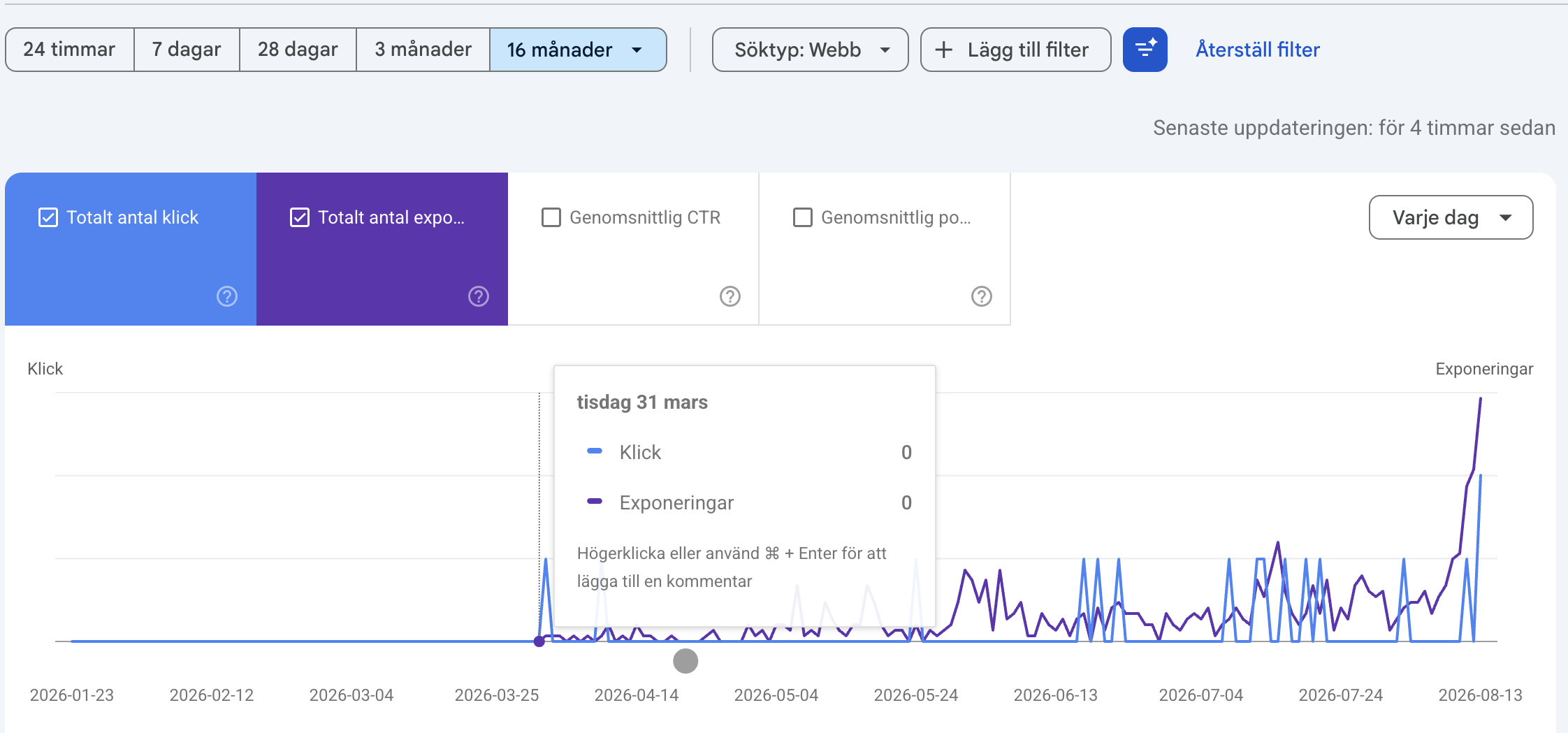
My own site. The button says 16 months. The curve starts on 31 March.
While you are in there, check which property you are looking at. A domain property and a URL prefix property for the same site can hold different amounts of history, and the button that says 16 months is a date range, not a promise that data exists that far back. Look at where the curve lifts off zero, not at what the button is called.
2. Measure how long the server takes
Time to first byte is the time before the browser has a single character to work with. Google counts 0.8 seconds or under as good and over 1.8 seconds as poor.
Measure it yourself before believing an alert. A tool can have exactly the right number and still hand you the wrong conclusion, because it measures from its own server rather than from where your visitors are sitting.
Measure while logged out as well. Being logged into the admin bypasses the page cache, and the same page can then answer in over a second without anything being wrong.
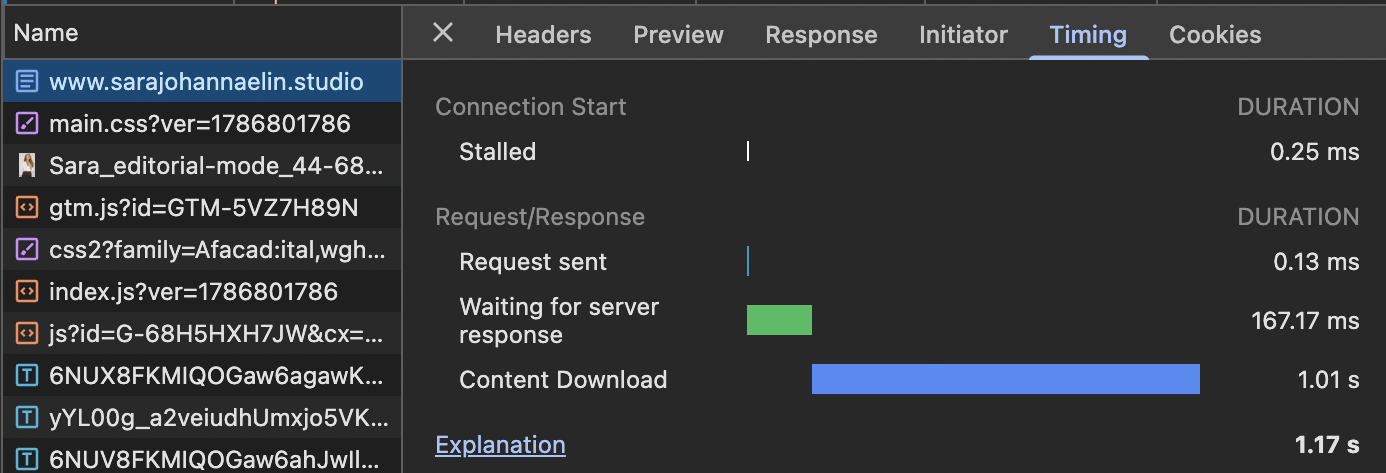
The row to read is Waiting for server response, in the DevTools Timing panel.
3. Write down what a conversion is
One sentence is enough. ”Someone fills in the enquiry form.” ”Someone places an order over 500 kronor.” If nobody can answer that in a single sentence, nobody will be able to say whether the work was worth the money either.
Part 2: The technical things that have to be right
4. One page, one address
If the same content is reachable at several addresses, the signals are split between them and none of them gets strong. If you change URL structure, every old address should redirect with a 301, once, to the right new address.
5. Check that the internal links point straight
This one is invisible and therefore almost always broken after a URL change. The redirects work, so nothing looks wrong, while in practice the entire internal structure is taking a detour.
List every internal link and check what it answers before the redirect rather than after. One easy detail to miss: single quotes in a link get re-encoded when the post is saved and the quote mark becomes part of the URL. Always use double quotes.
6. Let Google see the pages
Work through the indexing report. It is reasonable for category archives and feeds to be noindex. It is not reasonable for real pages to sit as 404 or as ”crawled, currently not indexed” without anyone knowing why.
Part 3: The content
7. Give every page a job
Print the sitemap and write one sentence beside each page: what is this supposed to do for the visitor. Pages that cannot answer that should either be merged into another one or removed. Fewer pages that do something always beats more pages that do not.
That applies to pages that look finished too. A page in the main navigation that contains only a contact form is a page without a job, however good its name is.
8. Titles and meta descriptions that match the page
Title tag under 60 characters, meta description around 150. Write what the reader gets, not what the page is about.
Then check that they exist at all. Missing meta descriptions show up nowhere in the interface, only in a crawl or in the search result itself.
9. Look at what a shared link looks like
Paste one of your pages into a chat and look at the preview. If no image appears, the Open Graph tags are missing, and it is worth checking that the tag promising a large sharing card has not been left in place without one. That reserves space for something that never arrives.
Build a chain rather than a rule: the hero image if the page has one, otherwise the featured image, otherwise the first image in the body, and finally the logo. And make sure the chain keeps going when one link in it turns out to be a deleted attachment.
Part 4: The experience, which is the part that decides
10. Does a stranger understand what you do in ten seconds
Ask someone who does not know the company to look at the front page for ten seconds and then say what you sell and who it is for. If the answer is wrong, it is not a traffic problem.
11. Walk the path to getting in touch, click by click
Count the clicks. Count the fields in the form. Test it properly, with a thumb, on a phone.
This is the most common place money disappears. Baymard Institute has compiled fifty studies on cart abandonment and lands on an average of 70.22 percent, and among the reasons buyers give themselves, 17 percent say the checkout was too complicated.
12. Open the site on a bad connection
Turn off wifi and browse on mobile data for a while. The study Google commissioned from 55 and Deloitte, Milliseconds Make Millions, followed 37 brand sites and more than 30 million sessions. A 0.1 second improvement in load time produced an 8.4 percent lift in retail conversion.
13. Listen to the page
Turn on a screen reader and go through a page. Images without alt text, links called nothing but ”read more” and headings in the wrong order are audible immediately, while being completely invisible when you look.
If the site is multilingual the media library is usually shared, so the same image carries the same alt text in both languages. That is worth checking, because it is never caught by eye.
What this website audit checklist is good for
Once you have worked through it you have something surprisingly rare in a first meeting with an agency: a description of where you stand, in numbers you measured yourself. A month of data, your own measured server response time, the sentence about what a conversion is, and the list of pages that had no job.
That does two things. It makes proposals comparable, because everyone starts from the same picture. And it makes it hard to sell you work that is already done.
If you want to see what I work on otherwise it is on what I do, and I wrote about how a rebuild actually goes in how I approach a website redesign.
Read next